Provide the input text, data, or file. Choose the tool options that match your goal.
What this tool does
Compress multiple files into a ZIP archive directly in your browser, without sending the selected files to a server for compression.
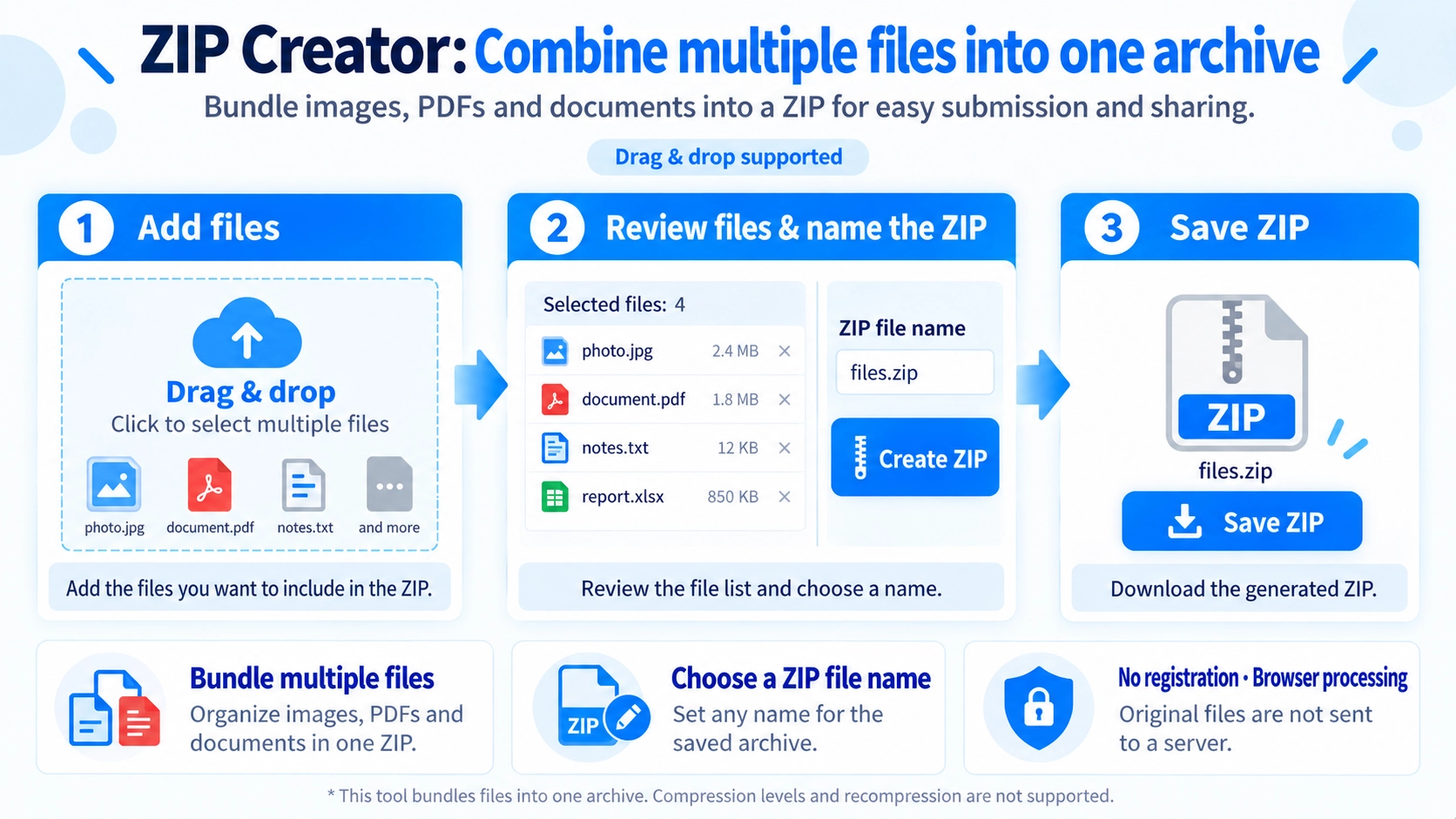
How to use it
- Select the files you want to package into a ZIP archive.
- Enter a name for the ZIP file.
- Click “Create ZIP” to build the archive.
- Download the resulting ZIP.
Supported input and notes
Compression runs inside your browser: selected files are not uploaded to a server for ZIP creation. Packaging very large files or many files can still take time and device memory.
When it is useful
Useful for packaging multiple files into one downloadable archive.
Combine Multiple Files
Select multiple files and package them into one ZIP. The file picker does not restrict file types, and drag and drop is also supported.
Keep Original File Names
Files keep their original names inside the ZIP. This tool does not rename individual files.
No Folder Structure
Selected files are added at the same level inside the ZIP. The tool does not recreate source folder structures or create subfolders.
Choose the ZIP Name
The default download name is files.zip, and you can replace it with your own name.
The entered value is used directly as the download name, so include the .zip extension when needed.
Original Files Stay Unchanged
Creating the ZIP does not modify the selected files or their names. A new ZIP file is generated in the browser.
FAQ
Will the ZIP always be smaller?
No. The main purpose is to package files together, and there is no compression-level control.
Are file names changed inside the ZIP?
No. The original file names are retained.
Can I add files other than images or PDFs?
Yes. The file input does not restrict file types.