Provide the input text, data, or file. Choose the tool options that match your goal.
What this tool does
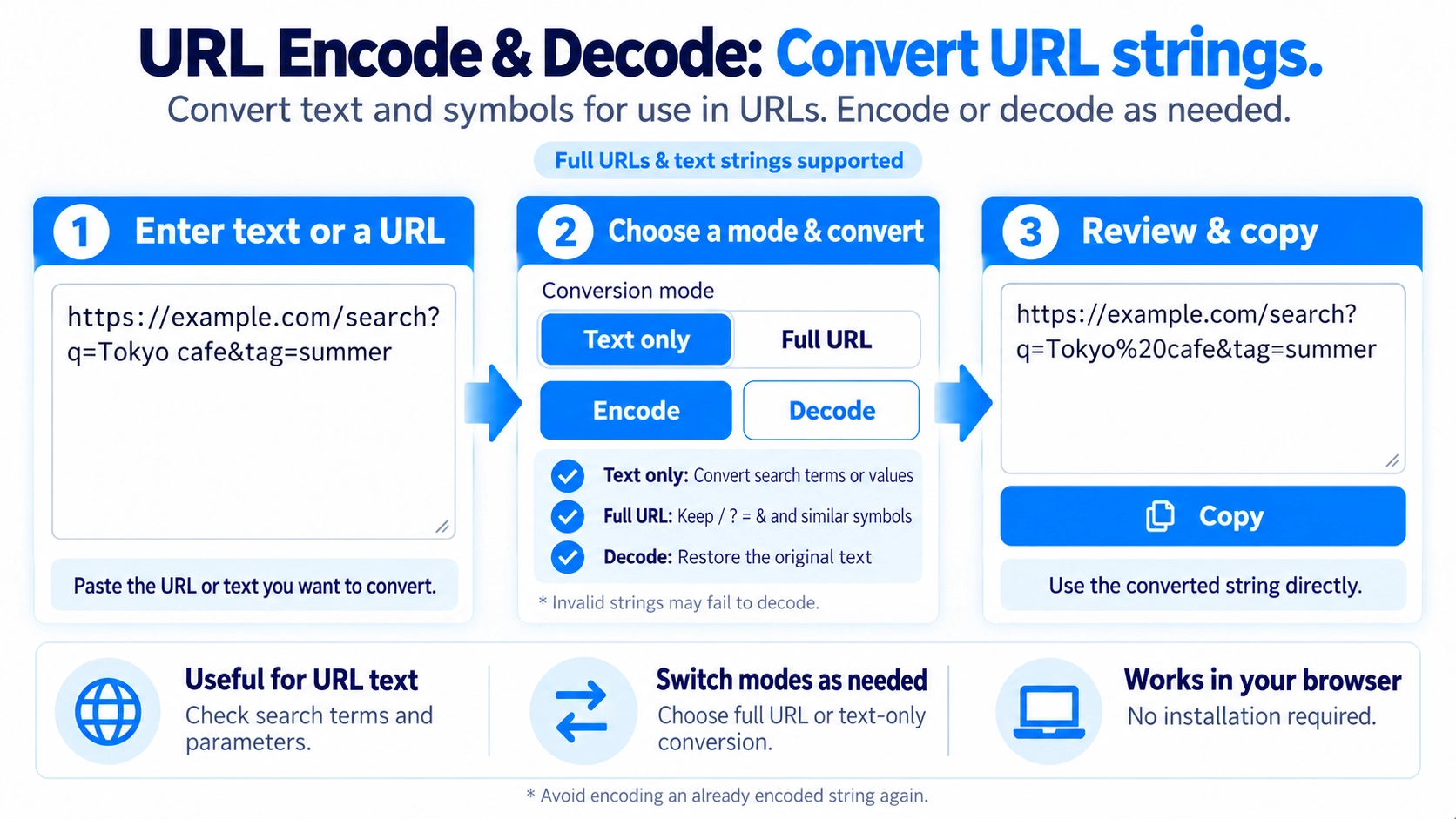
Encode or decode a URL or text string. Choose between encoding an individual URL component and preserving the structure of a complete URL.
How to use it
- Enter a URL or the text you want to encode or decode.
- Choose whether to process a text component or a whole URL.
- Click “encode” or “Decode” as appropriate.
- Review the converted text and click “Copy” if needed.
Supported input and notes
Encoding a URL component differs from encoding a whole URL. Choose the correct mode to preserve URL separators when needed.
When it is useful
Useful for preparing URL query parameters or decoding percent-encoded web text.
Two Encoding Modes
Choose Entire URL or Parameter Value. Both convert characters such as Japanese text and spaces into a URL-friendly form, but they differ in which symbols are preserved.
Entire URL
Structural URL symbols such as /, ?, =, &, and : are preserved. Use this when converting a full URL.
Parameter Value
Use this for search terms or other values inside a URL. Symbols such as /, ?, =, and & are also encoded.
Japanese Text Is Supported
Japanese characters, spaces, and similar text can be converted into percent-style URL encoding.
Decode Back to Text
Use Decode to turn an encoded string such as %E6%97%A5... back into readable text and symbols.
Invalid Strings Cannot Be Decoded
If the encoded text is incomplete or malformed, the tool shows an error instead of guessing how to repair it.
Copy the Result
The converted text replaces the input field content and can be copied directly with the Copy button.
FAQ
What is the difference between Entire URL and Parameter Value?
Entire URL preserves URL structure symbols, while Parameter Value also encodes symbols such as ? and &.
Can I encode Japanese text?
Yes. Japanese text can be converted into a URL-friendly encoded form.
Can I restore encoded text?
Yes. Use Decode to return it to readable text.