Enter the URL or text content. Choose the size and color settings.
What this tool does
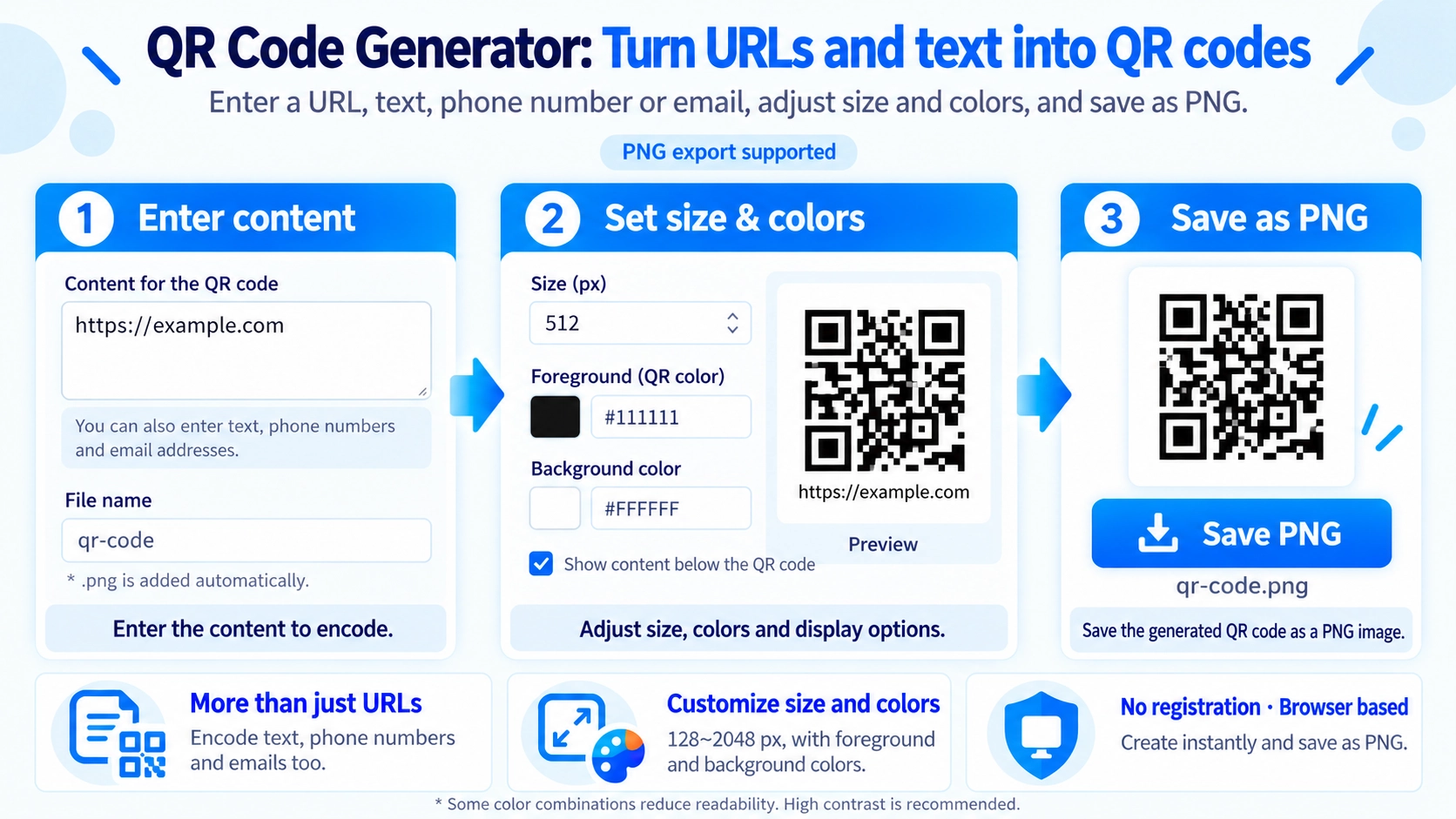
Create a QR code from a URL or text. Adjust its size, foreground color, and background color, then download it as a PNG image.
How to use it
- Enter the URL or text content.
- Choose the size and color settings.
- Generate the QR code and review the output.
- Download the PNG file.
Supported input and notes
Test that the finished QR code scans correctly before sharing it. Use strong contrast between the QR code and background so it remains easy to read.
When it is useful
Useful for flyers, product cards, menus, contact links, and quick mobile access points.
Turn Text into a QR Code
The entered content is used directly in the QR code. It is not limited to URLs, so you can also use text, phone numbers, email addresses, and other text-based content.
Size, Colors, and Caption
Size
Choose from 128 to 2048 px. The default is 512 px.
Colors
Both the QR code color and background color can be changed.
Caption
The entered content can also be shown below the QR code, wrapping to a maximum of four lines.
Captions Increase the Height
Without a caption, the output is a square at the selected size. When a caption is shown, extra space is added below the QR code, so the PNG becomes taller than the selected size.
Save as PNG
The QR code is saved as a PNG. The default file name is qr-code, and .png is added when the file is saved.
File Name Cleanup
Characters that are unsuitable for file names, along with spaces, are replaced with underscores when the PNG is saved. Leading periods are also removed.
FAQ
Can I use something other than a URL?
Yes. Any entered text can be used, including text, phone numbers, and email addresses.
Can I change the QR code size?
Yes. Choose a size from 128 to 2048 px.
Does a caption change the image size?
Yes. The QR area keeps the selected width, while the overall PNG becomes taller to make room for the caption.