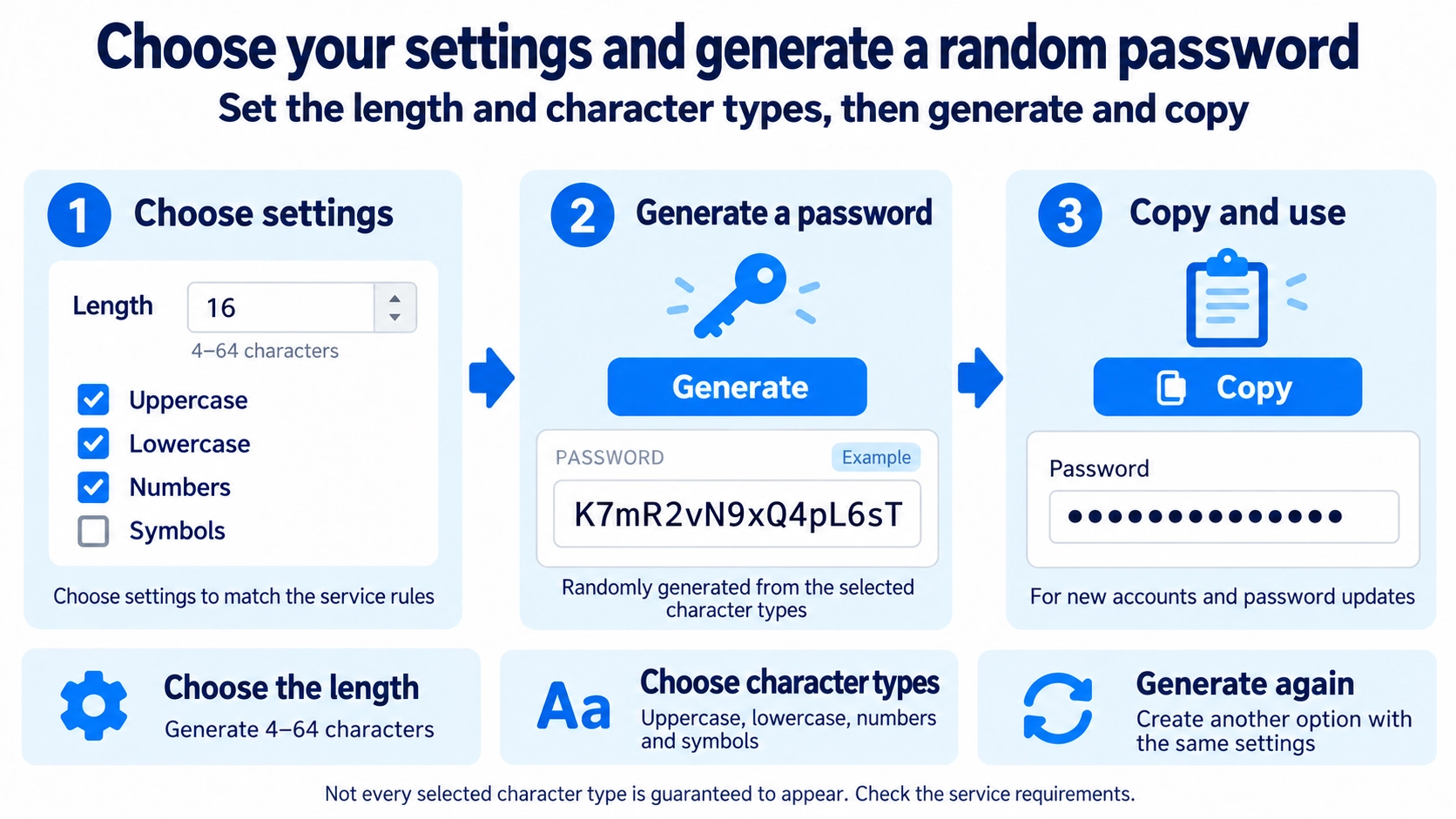
Set the password length. Choose uppercase, lowercase, numbers, and symbols.
What this tool does
Generate random passwords with a chosen length and a mix of uppercase letters, lowercase letters, numbers, and symbols.
How to use it
- Set the password length.
- Choose uppercase, lowercase, numbers, and symbols.
- Generate the password.
- Copy the result and store it safely.
Supported input and notes
Make sure the generated password meets the rules of the service you want to use. Avoid reusing the same password across sites.
When it is useful
Useful when creating or updating secure passwords for online accounts.
Length Increases the Number of Combinations
With the same character pool, a longer password can have many more possible combinations. This tool allows lengths from 4 to 64 characters.
Character Types Expand the Pool
Letters and Numbers
Uppercase letters, lowercase letters, and digits can each be added to the character pool.
Symbols
When enabled, the symbol pool includes ! @ # $ % ^ & * _ - + = ?.
A New Random String Is Generated Each Time
Each generation chooses from the enabled character pool at random. The same settings are not designed to reproduce the same password every time.
Selected Types Are Not Guaranteed
Enabling a character type adds it to the pool, but the generator does not force at least one character from every enabled type.
FAQ
Will every selected character type always appear?
No. All enabled types are added to the pool, but a particular type may not appear in a given result.
Which symbols can be generated?
The symbol pool is ! @ # $ % ^ & * _ - + = ?.
Can the same password ever be generated again?
Yes, in theory. Longer passwords and larger character pools increase the number of possible combinations.