Add the files you want to process. Choose the shared output settings for the batch job.
What this tool does
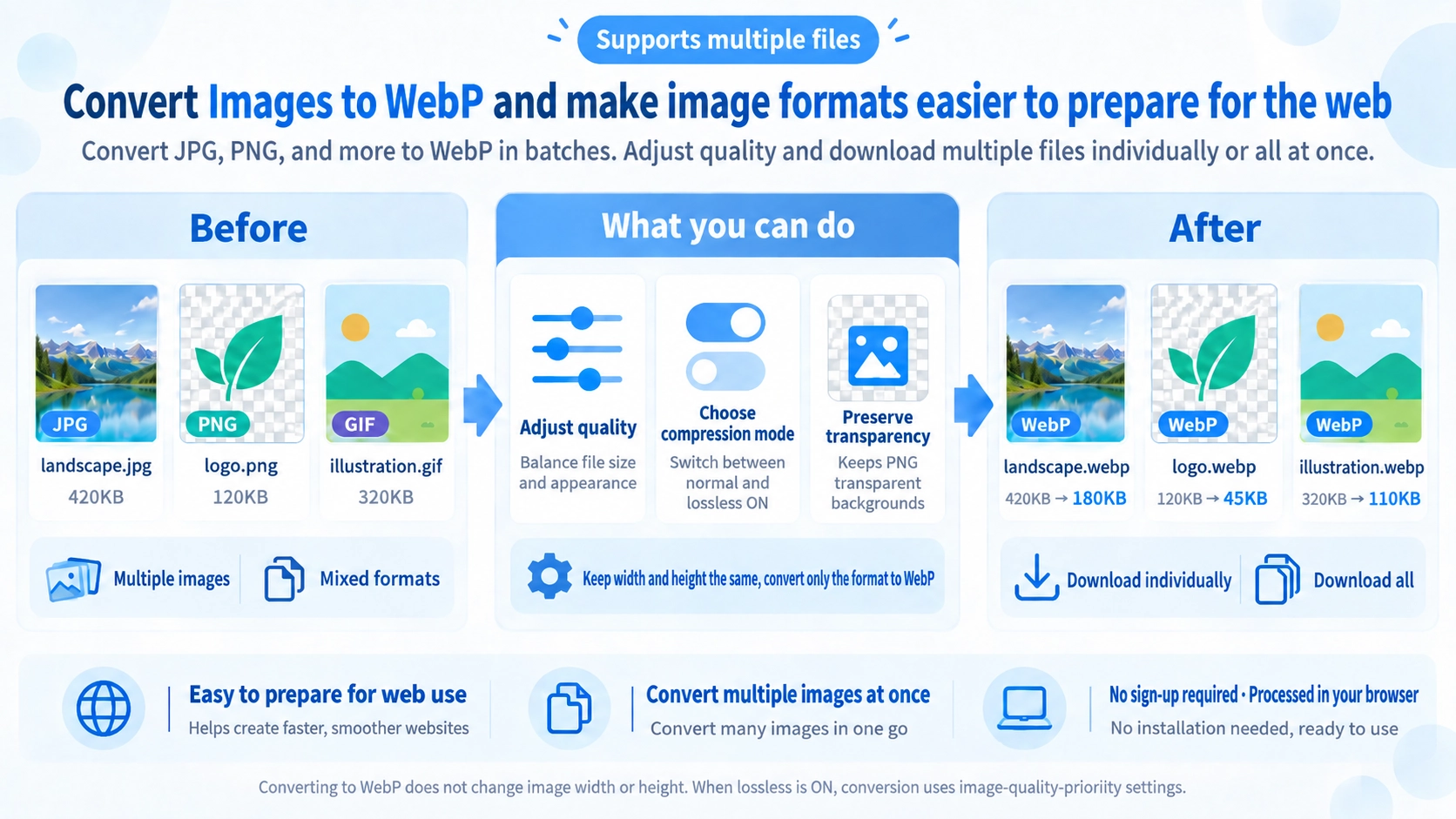
Convert JPG, PNG, and other supported images to WebP in bulk. Adjust output quality and download files individually or together.
How to use it
- Upload one or more images to convert to WebP.
- Adjust the quality setting or choose lossless output.
- Click “Convert” and review the converted image files.
- Download individual files or use “Download all”.
Supported input and notes
If transparency matters, check the original and the chosen WebP output settings. Lower quality can reduce file size but may lose fine details. Shared settings apply to all files in a batch.
When it is useful
Useful for exporting photos into WebP for web pages and image-heavy content.
What changes when converting to WebP
This tool converts multiple images to WebP while keeping their original pixel dimensions. In normal mode, you can choose a quality value from 1 to 99.
How lower WebP quality affects appearance and size
In normal mode, lower quality generally makes smaller files easier to achieve, but more image detail is discarded. Start high and lower the value while comparing appearance and file size.
How the “Lossless” option behaves
The tool disables the quality slider and exports WebP through the Canvas API with a quality value of 1. This prioritizes quality over the normal mode, but it does not use a dedicated WebP lossless encoder, so it should not be treated as a guarantee of strict WebP Lossless encoding.
Converting multiple images to WebP
Multiple selected images are converted sequentially using the same quality or Lossless setting.
“Download All” saves the converted images one after another. This tool does not package them into a ZIP.
When WebP conversion is useful
Web images
Convert JPG or PNG assets when you want to standardize them as WebP for web use.
Multiple files
Useful when several images need the same WebP quality setting.
Keep dimensions
Use it when you want to change format without changing pixel width or height.
Convert WebP back
Use WebP to PNG/JPG Converter when you need PNG or JPG output.
WebP Converter FAQ
Does converting to WebP reduce the pixel dimensions?
No. This tool keeps the source width and height.
Can multiple images use the same quality setting?
Yes. The same setting is applied to all selected images.
Does “Lossless” guarantee strict WebP Lossless encoding?
No guarantee is made. The implementation exports through Canvas with a quality value of 1 rather than a dedicated lossless encoder.
Are converted images downloaded as a ZIP?
No. “Download All” saves the converted files sequentially.