INPUT
RESULT
Enter JSON or XML.
Convert pasted JSON into XML or XML into JSON. Choose the conversion direction and copy the generated text.
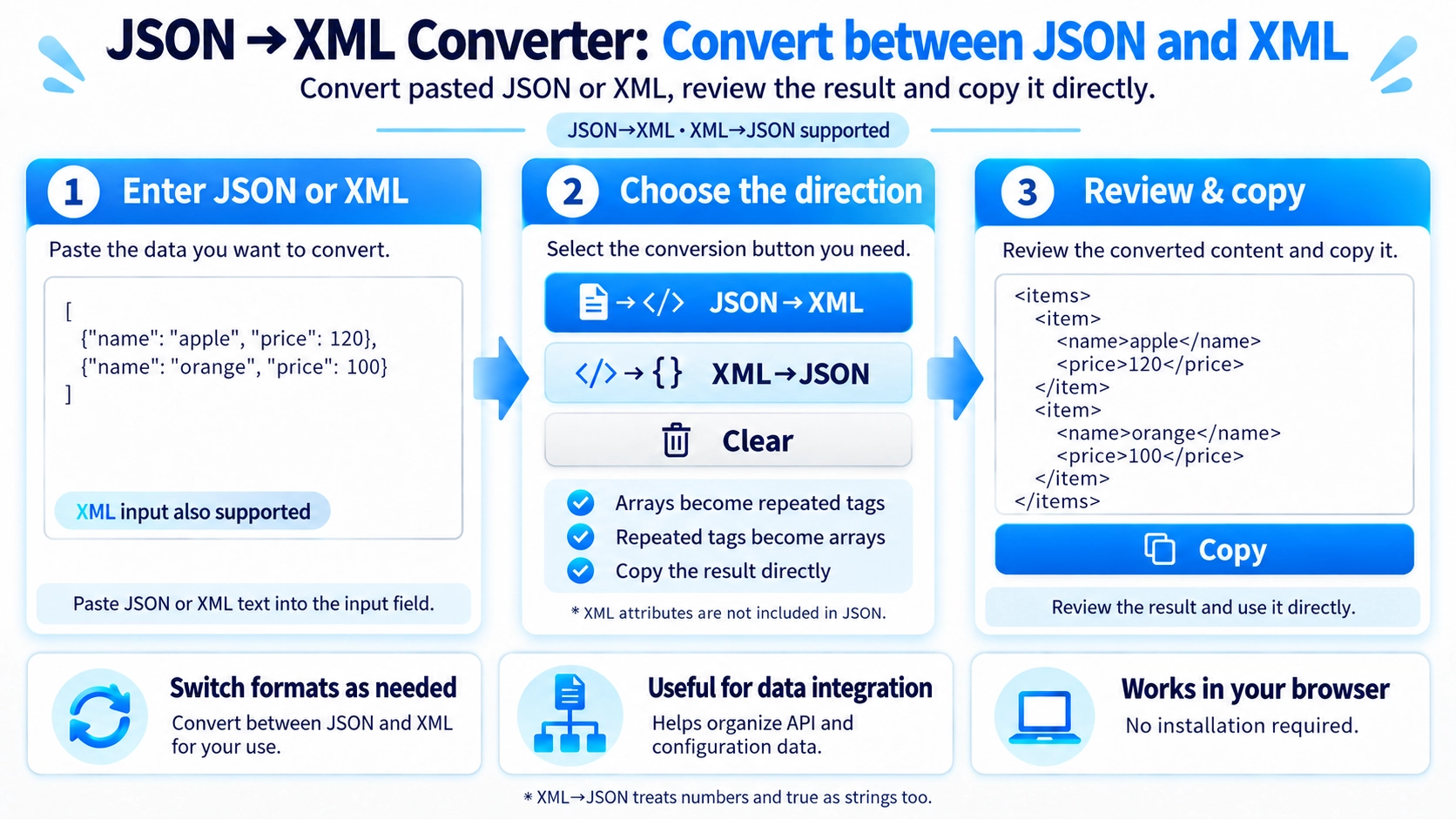
JSON and XML represent structure differently, so nested data, blank values, or field names may affect the output. Review the converted data before using it in production.
Useful when integrating systems that require different structured-text formats or inspecting how JSON objects and XML elements map to one another.
Switch between JSON to XML and XML to JSON while translating keys and tag structures.
JSON keys become XML tag names, and nested objects or arrays become nested tags.
XML tag names and child elements become JSON fields and nested values.
JSON arrays are written as repeated tags. If the entire JSON value is an array, it is wrapped in <items> with repeated <item> elements.
Characters that are unsuitable in generated XML tag names are generally replaced with underscores. The tool does not guarantee that every possible JSON key becomes a fully valid XML name.
XML to JSON focuses on tag names, text, and child elements. Attributes such as id="10" are not included in the JSON result.
If the same tag appears more than once at the same level, the JSON result groups those values into an array.
Values that look like numbers or true/false remain text when they come from XML element content.
A top-level JSON array gets one <items> wrapper. A JSON object with several top-level keys can produce several top-level tags, so some uses may require adding a single root element afterward.
No. Attributes are not converted into JSON fields.
Repeated tags at the same level become a JSON array.
Not always. Some unsuitable characters are replaced with underscores.