Select an image to see its representative colors and copy their HEX codes. This tool does not modify the image.
What this tool does
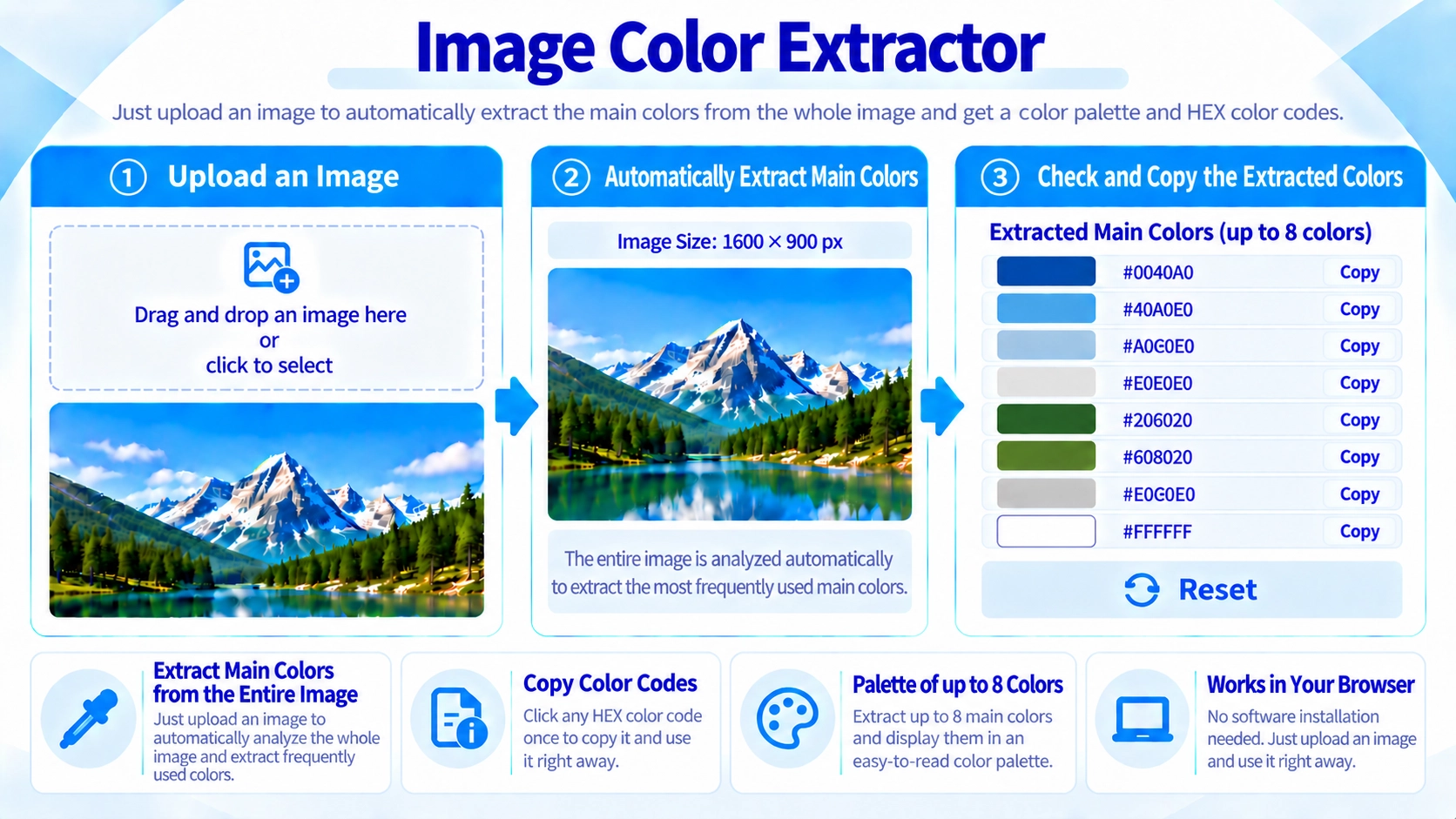
Extract up to eight representative colors from an image in your browser and copy their HEX codes for design or CSS.
How to use it
- Select an image to analyze.
- Review up to eight representative colors shown with their HEX codes.
- Click a color code to copy it for CSS or design work.
Supported input and notes
Colors covering more of the image are more likely to appear in the results, while similar colors may be grouped. For precise palette decisions, compare several images rather than relying on a single extraction.
When it is useful
Useful for building a color palette inspired by a photo or matching colors in a design.
Up to 8 Main Colors
The tool downsizes the image for analysis and displays up to eight representative colors. Because similar colors are grouped together, it is best for quickly understanding the overall palette of a photo or illustration.
Similar Colors Are Grouped
Images contain many small color variations. Similar RGB values are grouped before counting, so the result focuses on representative colors rather than every tiny variation.
This is different from an eyedropper tool that reads one exact pixel.
Large Color Areas Rank Higher
Colors used across larger areas are more likely to appear near the top. A color used only in a small logo or thin text may not appear in the top eight.
Semi-Transparent Pixels
Pixels with low opacity are excluded from the color count, so visible parts of transparent images have more influence on the result.
Using the Color Codes
Each result is shown as a hexadecimal color code such as #1D4ED8 and can be copied for use in CSS or design software.
No Image Editing
This page analyzes colors only. It does not recolor or export a modified image.
FAQ
Does it show every color in the image?
No. It shows up to eight prominent colors.
Can I sample one exact pixel?
No. The tool downsizes the image and analyzes overall color usage rather than sampling one exact pixel like an eyedropper.
Can I copy the extracted colors?
Yes. You can copy the hexadecimal color codes.