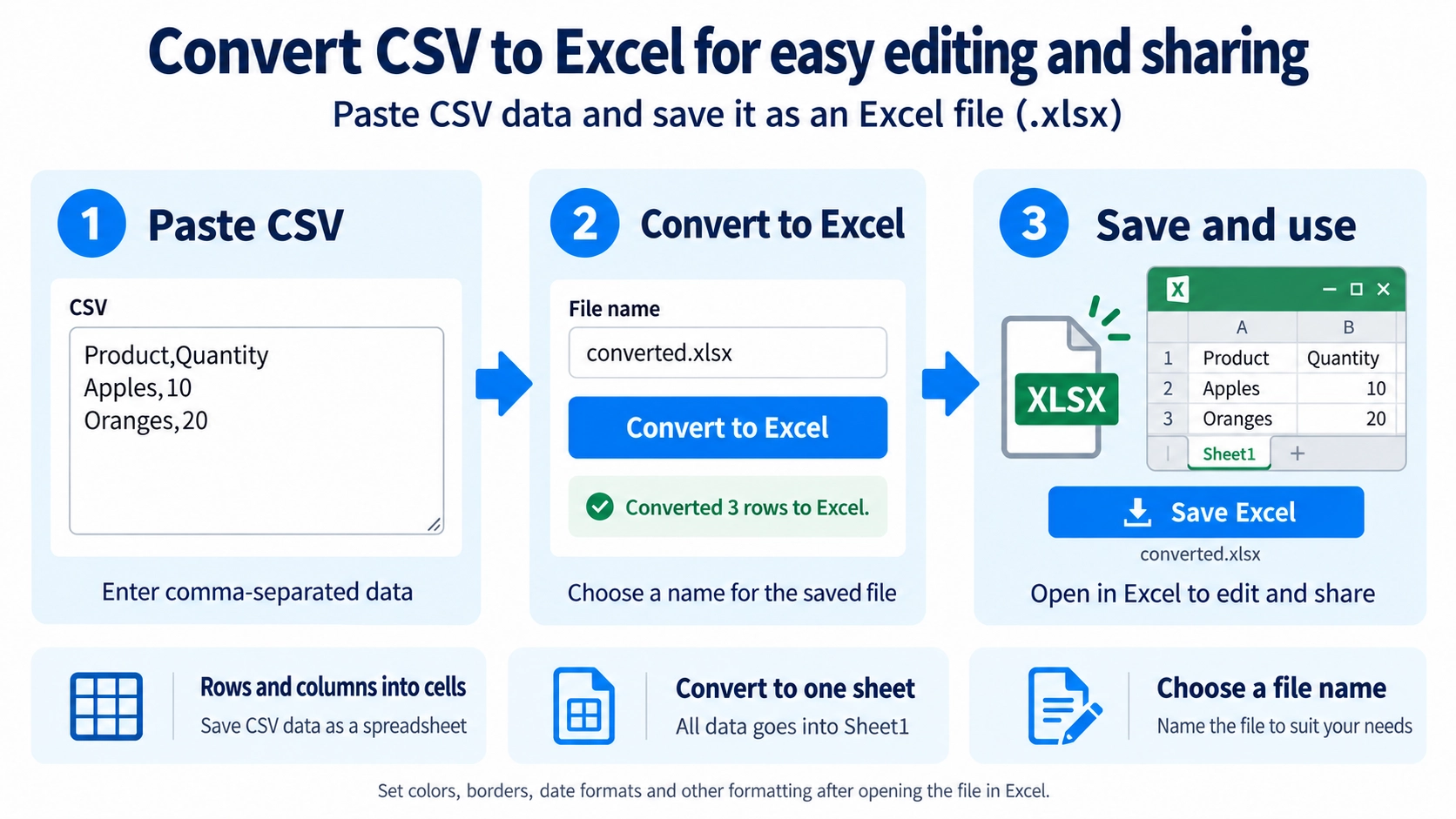
Paste the CSV data into the input area. Review the parsed rows and columns.
What this tool does
Convert pasted CSV data into an Excel .xlsx file in your browser. Review the table data, choose a filename, and download the generated workbook.
How to use it
- Paste the CSV data into the input area.
- Review the parsed rows and columns.
- Run the conversion to Excel.
- Download the generated .xlsx file.
Supported input and notes
If the CSV structure is inconsistent, columns may not line up correctly. Review the parsed table before saving.
When it is useful
Useful when you receive data as CSV but want to edit or share it as an Excel file.
What Changes in Excel
CSV stores a table as text and delimiters. Converting it to Excel places the rows and columns into cells in an .xlsx file. The tool transfers the table data rather than adding visual formatting.
Commas and Line Breaks in Values
Commas in a Value
A comma inside a double-quoted value stays in the same cell instead of creating another column.
Line Breaks in a Cell
A line break inside a double-quoted value remains part of that same cell.
The Resulting Sheet
The entire CSV is written to one worksheet named Sheet1. The tool does not split the CSV into multiple worksheets automatically.
Number and Date Formatting
The CSV values are placed into cells, but currency formats, date formats, digit grouping, and other Excel formatting are not added automatically.
FAQ
Can I upload a CSV file directly?
On this page, paste the CSV content into the input area.
Can it create multiple Excel sheets?
No. The CSV is written to one Sheet1.
Can values contain commas or line breaks?
Yes, when they are correctly enclosed in double quotes.